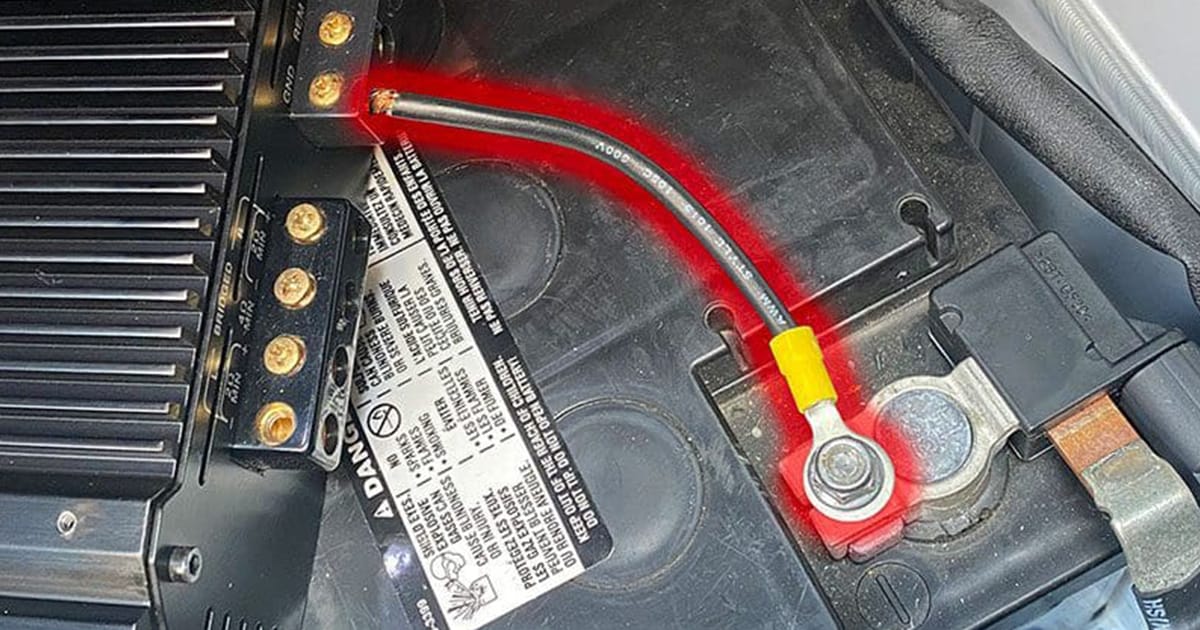
Yes, you can ground a car audio amplifier directly to the battery, and in some cases, it may even be the best option. The idea that this practice is harmful is one of the more persistent myths in the car audio world. When done correctly, grounding to the battery provides a stable, low-resistance path that can improve system performance and reduce unwanted noise.
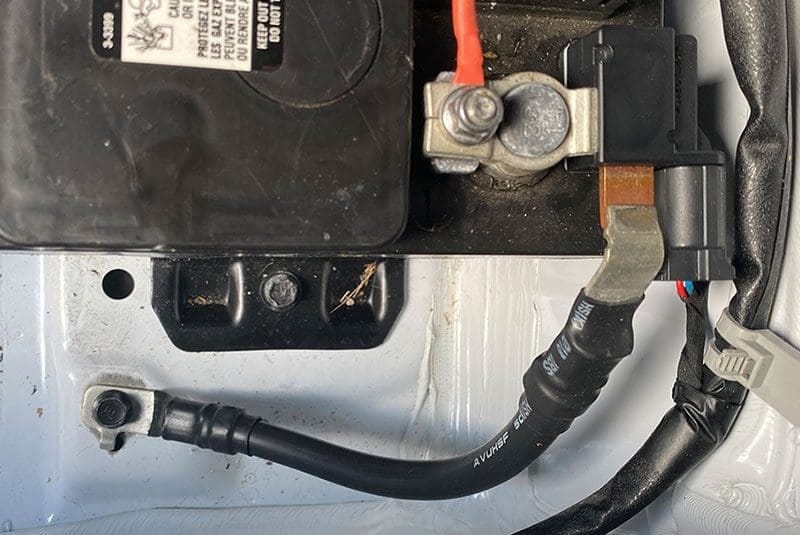
A solid ground connection to the battery ensures reliable amplifier performance and minimizes noise.
Why Grounding Matters in Car Audio
Grounding is what completes the electrical circuit that powers your amplifier. Just like the positive cable delivers energy from the battery, the ground connection carries current back to the battery to complete the loop. A poor ground can cause voltage drops, introduce noise and even damage sensitive electronics.
In simple terms, the lower the resistance in the ground path, the better your amplifier will perform. That’s why professional installers pay as much attention to grounding as they do to power cable routing and fuse protection.
Where the Grounding Myth Comes From
The belief that you shouldn’t ground an amplifier directly to the battery comes from a misunderstanding of electrical principles. Years ago, some enthusiasts noticed alternator whine or noise in their audio systems and incorrectly blamed direct-to-battery grounding. In reality, noise issues usually come from poor wiring practices, improper signal cable routing or multiple grounding points that create loops.
This myth spread across forums and conversations, and many still repeat it today. The truth is that the negative battery terminal is the reference point for the entire vehicle’s electrical system. Connecting your amplifier there is no more dangerous than connecting it to the chassis nearby.
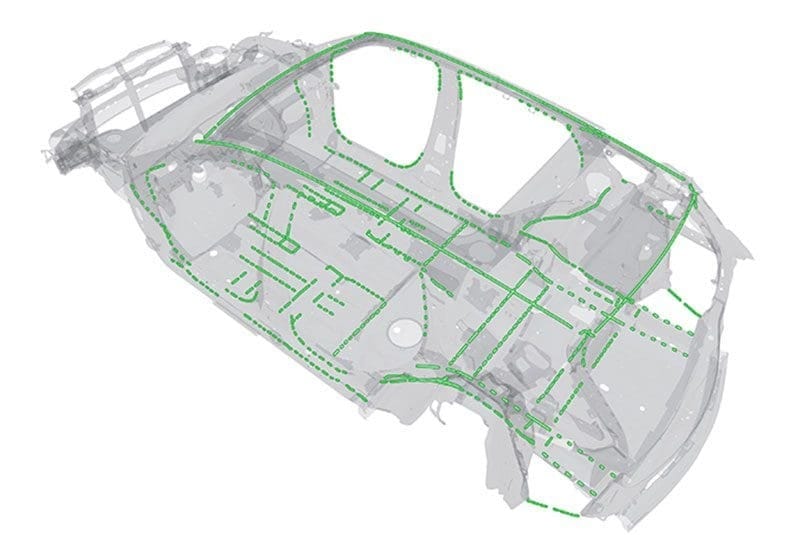
More than 121 feet of adhesive is used to assemble the 2019 Acura RDX. Image: Acura
Grounding an Amplifier to the Battery
When done properly, grounding directly to the battery is not only safe but often beneficial. The negative battery terminal is as solid a ground as you can get. By eliminating the need to rely on body panels, bolts and varying levels of metal conductivity, you reduce the chance of resistance in the ground path.
This is especially true in modern vehicles where manufacturers use lighter metals, adhesives or coatings that can interfere with solid grounding. Some OEM systems and many aftermarket designs already tie directly to the battery for this reason.
Best Practices for Amplifier Grounding
The most important rule of amplifier grounding is to keep the connection short, solid and low resistance. Professional installers follow a few best practices:
- Use the same gauge wire for ground as you do for power.
- Keep the ground wire as short as possible.
- Ensure bare metal-to-metal contact when grounding to the chassis.
- For high-power amplifiers, consider grounding directly to the battery to reduce voltage drop.
- Always test the connection to verify low resistance.
Following these practices ensures your system runs reliably and delivers clean sound.
Mistakes That Cause Grounding Problems
Many amplifier issues come back to improper grounding. The most common mistakes include:
- Attaching the ground wire to painted or coated metal.
- Using a bolt or bracket that doesn’t provide a solid connection.
- Running a long ground wire, which increases resistance.
- Using a smaller gauge wire for the ground than for the power feed.
- Creating multiple ground points that form loops and introduce noise.
Avoiding these errors is just as important as choosing the right amplifier or speakers.

Aluminum-bodied vehicles like this Jeep often benefit from grounding the amplifier directly to the battery for the most reliable connection.
When Battery Grounding Is the Best Choice
While grounding to a nearby chassis point is usually recommended for convenience, there are situations where running the ground cable directly to the battery makes more sense. These include:
- High-current amplifiers where even small resistance can cause voltage drop.
- Vehicles with aluminum or composite body panels that don’t conduct electricity well.
- Electric vehicles with complex chassis structures.
- Multi-amplifier systems spread throughout the vehicle.
- Situations where alternator whine or noise issues persist.
In these cases, battery grounding can provide a cleaner, more reliable connection.
The Bottom Line
Grounding your amplifier to the battery is not only safe but often the best option for ensuring strong, noise-free performance. The key is making the connection properly: short, solid and matched to your power wiring. Myths about battery grounding causing problems are simply that, myths.
If you want the best performance from your audio system, consult a professional installer who understands grounding, wiring and system tuning.
Visit a qualified retailer near you to learn more about professional system installation and how proper grounding can improve your in-car listening experience.
This article is written and produced by the team at www.BestCarAudio.com. Reproduction or use of any kind is prohibited without the express written permission of 1sixty8 media.

Leave a Reply